Icon of program: SMOz

SMOz for Windows

  • Free
  • 3
    1
  • 1.5K
  • V0.7.0.1
Free Download for Windows

View an ad to download for free

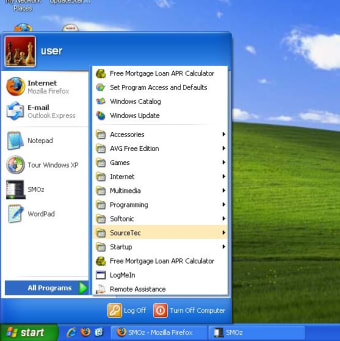
Keep Windows Start menu organized

When you install dozens of programs a week as we do, your Start menu is doomed. But you don't need to go that further: after having installed a few applications, Windows Start menu is already so messed up that it ends up being completely useless.

Top Recommended Alternative

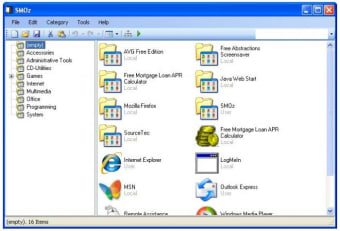
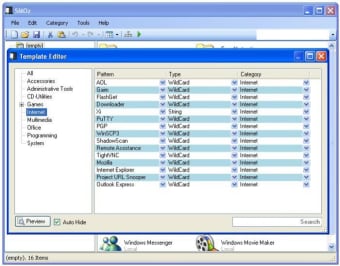
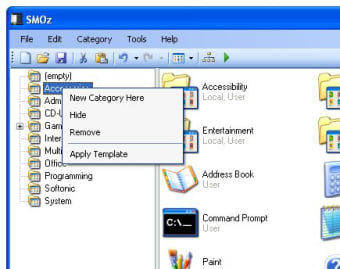
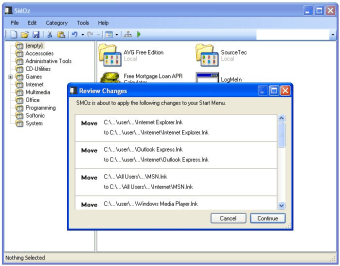
This is when a tool like Smoz comes in handy. This program organizes all the shortcuts in the Start menu into several default categories which cover the basic kinds of software: Internet, Multimedia, Office, Programming and so on. You can create new categories and use the built-in editor to edit the template.

The idea behind Smoz is really good. It saves you the time and pain involved in rearranging your Start menu manually. On the downside, the program is not as intuitive as it should be. You can't drag and drop links on its interface to create new links, and the template editor is really complicated. I looked for some tips in the Help menu but I only got redirected to the Smoz homepage.

Smoz helps you organizing your Start menu and makes it easier to use

  • Pros

    • Categorizes Start Menu automatically
    • Customizable templates
  • Cons

    • Template editor is difficult to use
    • No drag and drop
    • Poorly documented
 0/5

App specs

  • License

    Free

  • Version

    0.7.0.1

  • Latest update

  • Platform

    Windows

  • OS

    Windows ME

  • Language

    English

  • Downloads

    1.5K

  • Size

    395.75 KB

  • Developer

Program available in other languages


Icon of program: SMOz

SMOz for PC

  • Free
  • 3
    1
  • 1.5K
  • V0.7.0.1
Free Download for PC

View an ad to download for free


User reviews about SMOz

Have you tried SMOz? Be the first to leave your opinion!

Add review

You may also like

Explore Apps

Latest articles

Laws concerning the use of this software vary from country to country. We do not encourage or condone the use of this program if it is in violation of these laws.
Softonic

Is SMOz safe?

Score result: Clean

This file passed a comprehensive security scan using VirusTotal technology. It is safe to download.

  • Virus free
  • Spyware free
  • Malware free
  • Verified by Security Partners

    VirusTotal logo

Scan Info

Last scan
Wednesday, December 2, 2020
Scan provider
VirusTotal

Softonic security commitment

SMOz has been thoroughly scanned by our advanced security systems and verified by industry-leading partners. This file comes from the official developer and has passed all our security checks, showing no signs of viruses, malware, or spyware. For more information, visit our Security and Trust Center

Signed in to Softonic as